
THE SECRET to shoot HIGH DYNAMIC RANGE scene (without looking fake)
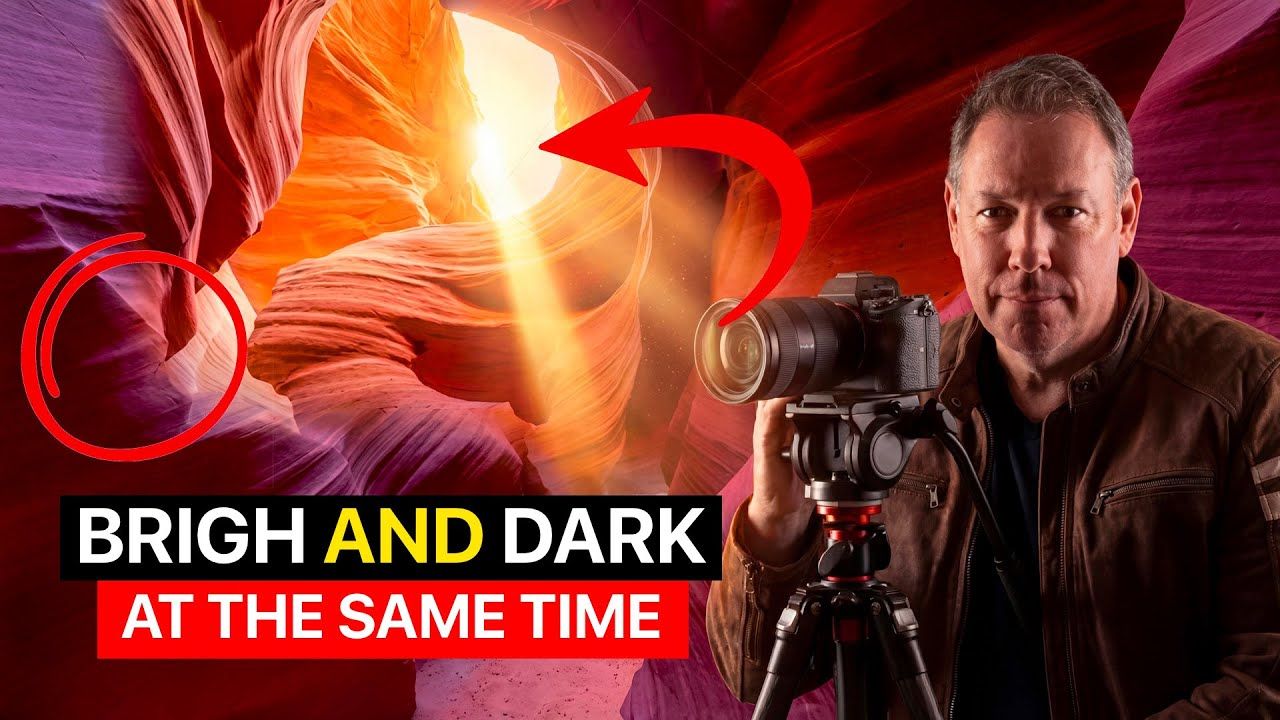
The Secret to Shooting Natural-Looking HDR Photos in Extreme Light (Antelope Canyon Lightroom Workflow)
High dynamic range photography often looks fake and over-processed — especially in extreme lighting situations like Antelope Canyon.
A few years ago I saw Peter Lik’s famous Antelope Canyon photo (“The Ghost” or “Phantom”) that sold for millions. I became obsessed with capturing something similar. When I finally got the canyon to myself, I realized the real challenge wasn’t just getting the shot — it was editing it without destroying the beauty or creating that artificial “HDR look.”
In this post (and the accompanying video), I’m sharing my complete workflow for shooting and editing HDR images that look natural, realistic, and professional — even when you’re dealing with insane contrast between deep shadows and bright sunlight.
Ready to get 1 on 1 support to master your tools and take photos that have that WOW factor? Apply to become a certified Master of Photography here.
Why Most HDR Photos Look Fake
The biggest mistake photographers make with HDR is overdoing it.
When you blend exposures too aggressively or push sliders too far, you lose texture, crush shadows into black, blow out highlights, and create that flat, plastic, “HDR-y” look that everyone hates.
The goal isn’t to capture every single detail in one image. The goal is to preserve the feeling of the scene — the drama of light beams cutting through darkness, the rich textures of the rock, and natural color — while still recovering important detail.
Shooting for HDR: Single Exposure vs Bracketing
Not every high-contrast scene needs bracketing.
- Single exposure works great when the dynamic range isn’t too extreme (like the easier “Bull” formation shot in the video). You can recover a surprising amount in Lightroom if you expose carefully.
- Exposure bracketing (usually 3–5 shots) is essential for the most challenging scenes — like deep slot canyons with bright light beams hitting the walls.
Pro tip: In slot canyons, watch the light beams carefully. They move fast. Shoot quickly and consider whether you want the beams as the hero or as supporting light.
Ready to get 1 on 1 support to master your tools and take photos that have that WOW factor? Apply to become a certified Master of Photography here.
My Lightroom HDR Workflow (Step-by-Step)
Here’s exactly how I edited one of the tougher shots from Antelope Canyon — the “Bull” formation.
1. Start with a Virtual Copy + Reset I always create a virtual copy so I never lose the original. Then I reset everything to start clean.
2. Basic Tone Adjustments
- Open up the Shadows significantly.
- Pull down the Highlights (sometimes all the way).
- Set your Black Point properly (hold Option/Alt on Mac/Windows while dragging the Blacks slider until you see pure black areas appear — this gives the image real depth and prevents muddy shadows).
3. Whites & Overall Brightness Bring up the Whites slider to recover detail in the brightest areas without making everything look flat.
4. White Balance – The Red Rock Secret For Antelope Canyon’s red rocks, I usually start with Daylight white balance, then add a good amount of Magenta. This enhances the rich reds and pinks that make these canyons so magical (inspired by Peter Lik’s approach).
5. Texture & Clarity Add Texture and Clarity to bring out the incredible rock details. These two sliders are your best friends for making slot canyon images pop naturally.
6. Crop for Impact I often crop tighter to focus on the main formation (in this case, the “Bull”). Composition matters more than showing the entire scene.
7. Create the Light Beams (The Magic Part) This is where it gets really fun:
- Add a Gradient (or Linear Gradient mask) from the top, rotating it to follow the natural light direction.
- Increase exposure in the gradient to create beautiful light rays.
- Use minus Clarity in the gradient for a soft, diffused light effect.
- Then use the Brush tool with Subtract + Select Object (or manual brushing) to remove the light from the main rock formation so the beam appears to go behind it.
Important Brush Settings for Natural Results:
- Keep Flow and Density relatively low (around 50-70%).
- Use a soft Feather.
- Build up adjustments gradually instead of going heavy in one pass. This is the key to avoiding that “painted on” look.
8. Dodge & Burn for Depth I finish with targeted dodging and burning using the Brush tool (again with low flow/density). This adds three-dimensionality and guides the viewer’s eye exactly where I want it.
9. Overall Darkening Often I’ll darken the entire image slightly at the end. Darker images tend to have richer, more saturated colors — especially powerful in red rock environments.
Ready to get 1 on 1 support to master your tools and take photos that have that WOW factor? Apply to become a certified Master of Photography here.
Key Takeaways for Natural-Looking HDR
- Less is more. Subtle adjustments beat heavy-handed processing every time.
- Master the Brush tool with low flow/density — this is what separates good HDR from great, natural-looking images.
- Use gradients creatively to enhance (not invent) light.
- Always protect your blacks and highlights with proper clipping previews.
- Let the scene dictate the approach — sometimes a single well-exposed frame is enough.
This workflow has completely changed how I approach high-contrast landscapes. Whether you’re shooting slot canyons, dramatic landscapes, or architecture, these techniques will help you capture and process images that feel real and emotional instead of overcooked.
What’s your biggest struggle with HDR or high-contrast scenes? Drop a comment below — I read every one.
And if this helped you, share it with a photographer friend who needs to see it.
Happy shooting!
Serge
Struggling To Get Good Results With Your Photos?
Apply now to finally master your tools and capture photos that have that 'WOW' factor using the Natural Drama Formula
